Introduction
In Episode 4, we followed customers inside the store and saw, through heatmaps and dwell time, where they actually go. We ended with a question: what happens when too many customers reach the same place at the same time?
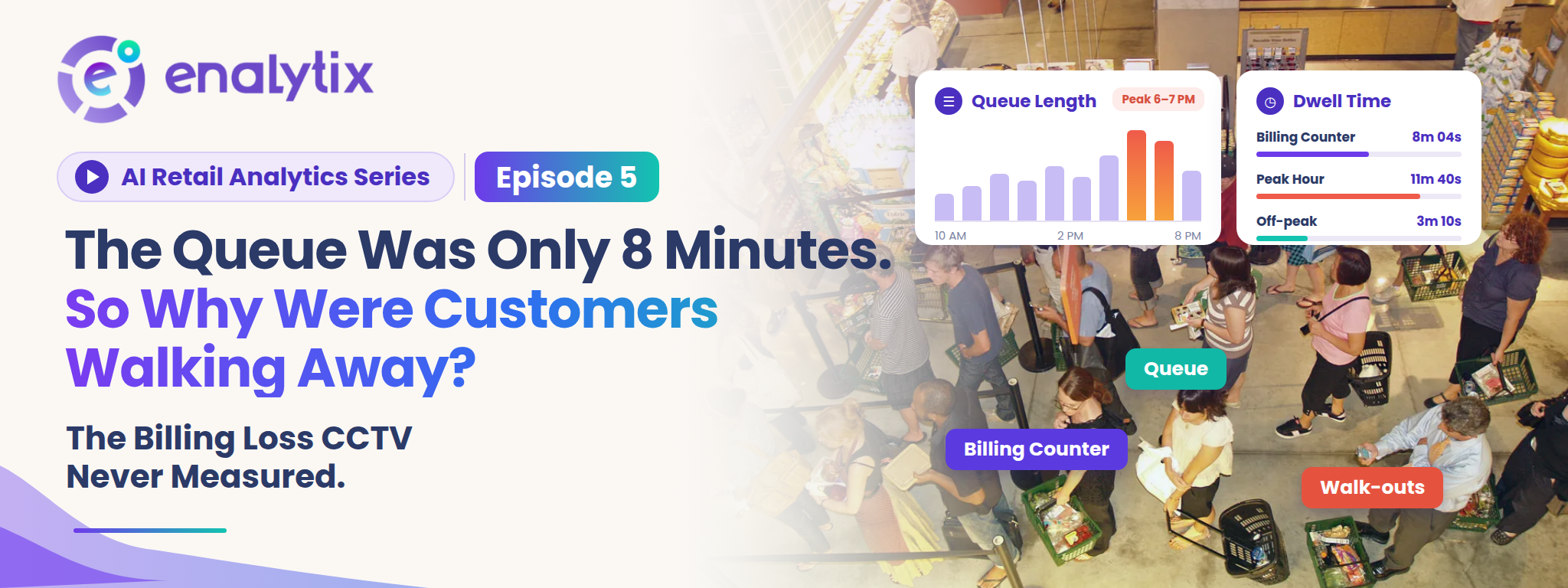
That place is usually the billing counter. It is the last step of the journey, and it is where a sale is either completed or lost. This episode looks at a puzzling situation: the line was only 8 minutes long, yet customers still left without buying. We will look at why this happens, why most stores never see it, and how queue management with real-time alerts helps a store act while the line is still building.
The Last Step of the Journey Where Customers Still Slip Away
A customer can walk in, browse, pick up a few products and still leave before paying. By then, the store has done almost everything right. The customer found the shelf, liked the product and made up their mind.
This is why a lost customer at the billing counter costs the most. Retail teams call it queue abandonment. Some customers see a long line and never join it. Others join, wait for a while and give up halfway. Either way, the sale that was almost made is gone. In a busy store, a few of these walk-outs every hour add up over a full day and a full month. And the store rarely agrees with the customer about how long the wait really was.
Why 8 Minutes Feels Short to the Store and Long to the Customer
From behind the counter, 8 minutes looks perfectly normal. Staff are busy serving, the line is moving, and the owner thinks the wait is acceptable.
The customer in the line sees it differently. They have a full basket, limited time and nothing to do but wait, and waiting with nothing to do usually feels longer than it is. A short line that barely moves can even feel worse than a longer line that keeps moving. So the same 8 minutes is fine on one side of the counter and too long on the other. The customer who decides it is too long rarely says a word.
The Customers Who Left Without Anyone Noticing
When a customer loses patience, they simply put the basket down and walk out. There is no bill, no record and no complaint. Staff at the counter are busy with the person in front of them, and they can only see the line from where they stand. During peak hours, nobody has time to step back and check how long it has grown.
At the end of the day, the store sees the sales it made. A busy afternoon can look great in the sales report, and the store still never learns how many customers left with nothing in hand. The ones it lost never show up anywhere. So billing gets judged on impressions like “it wasn’t that bad today,” and that becomes the only measure the store has. Yet a camera was pointed at that counter the whole time.
Why Cameras Recorded the Queue but Never Measured It
Almost every billing area is covered by CCTV, recording all day. But recording is all a standard camera does. It does not tell the store when a queue started building, and it does not alert anyone while it is happening. Going back through the footage later shows only a few moments, not a clear picture. A manager can scroll through hours of video and still not know how many people stood in line at 7 PM, and by then the customers who left are long gone.
The queue was on camera every day. It was just never measured, and nobody was told in time. That is exactly the gap video analytics is built to close.
How In-Store Analytics Shows What Is Happening at the Billing Area
In-Store Analytics works with the CCTV or IP cameras a store already has, so there is nothing new to install at the counter. Instead of only recording, the cameras are used to track customer and staff movement in real time, and everything appears on one live dashboard.
For the billing area, this means the queue is no longer something staff have to guess at from behind the counter. The system watches it as it forms, giving the store a real-time view of how the line is building, especially during peak hours when it matters most. This is also where billing wait time alerts begin: because the system is already watching the billing area, it can tell staff the moment customers start waiting there. Every insight is also backed by video evidence that can be verified. If someone asks whether the line was really that long at 7 PM, the store can check the actual video instead of relying on memory.
Seeing the queue is a good start. What matters more is what happens the moment it begins to build.
How Real-Time Queue Monitoring and Billing Wait Time Alerts Reach Staff Before the Line Grows
This is the heart of queue management. The cameras near the counter keep watching the queue, and when a queue builds up and customers start waiting at billing, staff are notified instantly through a real-time billing wait time alert. It answers the one question a counter team never has time to ask: is the line at billing starting to build right now?
The difference between a report and an alert is timing. A report tells the store tomorrow that the line was long yesterday. An alert tells the store right now, while there is still time to do something about it. That is the difference between learning about a lost sale and preventing one.
It matters most in peak hours, when staff are the busiest and the least able to watch the line. The alert does the watching for them. For customers, this means faster service. For the store, it means happier customers and smoother operations, which is what Retail store performance depends on at the counter.
But an alert is only as useful as the action that follows it.
What a Store Can Do Once Billing Pressure Is Visible
When a billing wait time alert arrives, the response is simple and practical. A team member from the floor can step in, open another counter or help with billing, so the line moves before customers lose patience.
Over time, the store also starts to notice a pattern. The same hours keep triggering alerts, so the team can be placed at the counter for those hours instead of spread evenly across the whole day. For a chain, the unified dashboard shows which stores face this pressure and which do not, so staffing is decided by evidence and not by one schedule copied everywhere. That is what makes Retail store analytics useful to head office too, not just to one store manager.
And because every insight comes with video evidence, managers can look at what really happened at the counter during a busy hour, instead of arguing from impressions. Still, a line can only be cleared if there are people available to clear it.
Staff Presence, Dwell Time and Heatmaps: Seeing the Whole Floor
That is why In-Store Analytics also tracks Staff Presence at the store. Check-ins and check-outs are recorded automatically through face recognition, with no manual entry. The store gets accurate attendance, no buddy punching and a clear view of who is on the floor. When a queue alert arrives, the manager already knows who is nearby and available.
On the customer side, Shopper Dwell and Heatmaps show where shoppers spend their time and for how long. Dwell time analysis and Heatmap analysis show which parts of the store hold attention, so the store can see the whole path: where customers linger, when they head to the counter, and whether staff are there to serve them.
All of this runs on the cameras the store already has, with fast onboarding and continuous support.
Conclusion
Getting customers through the door and guiding them across the store only works if they can also finish the purchase. The billing counter is where that last step happens, and an 8 minute line can quietly undo everything that came before it.
Enalytix’s In-Store Analytics brings real-time queue management and billing wait time alerts, staff presence tracking, and dwell and heatmap insights together, using the same cameras already in the store. The queue stops being a guess and becomes something a store can see, act on and verify.
But walk-outs at the counter are only one way a store can lose a sale it never knew about. Is there a loss that never appears in any report at all?
Leave a Reply