Category: Blogs

This category is only for blogs.

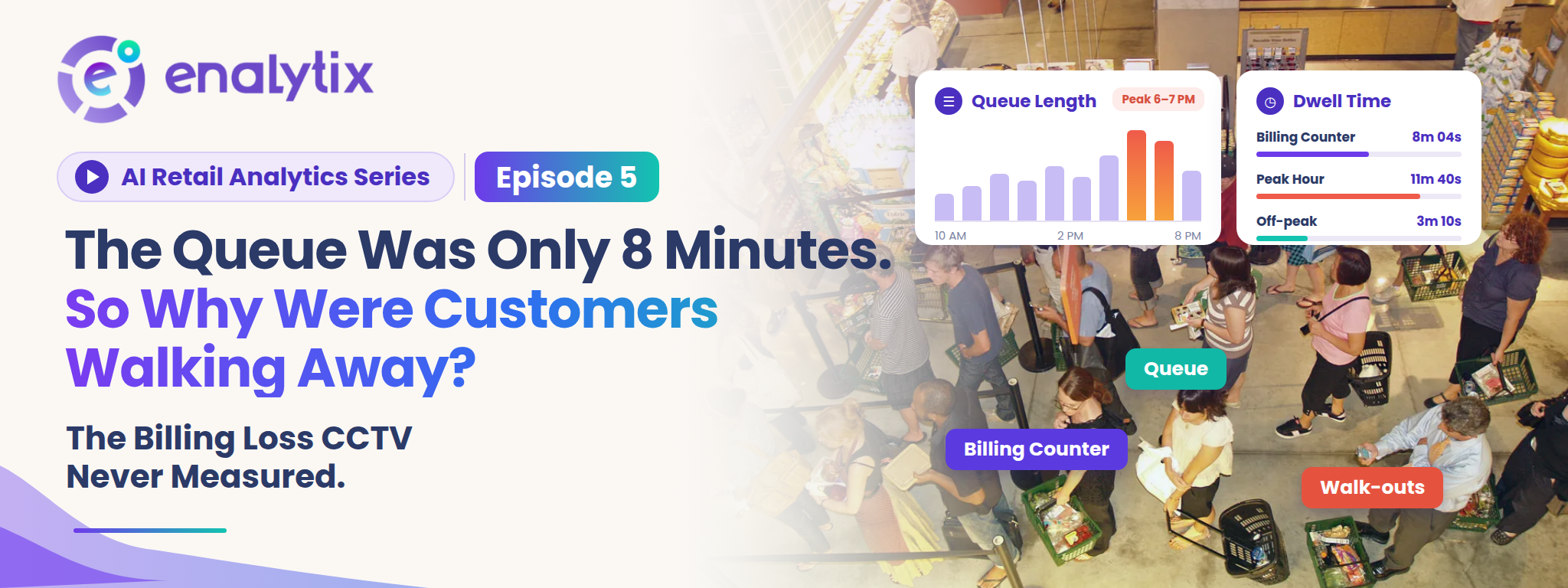
  • AI Retail Analytics: EP. 5 – The Queue Was Only 8 Minutes Long. So Why Were Customers Walking Away?

    AI Retail Analytics: EP. 5 – The Queue Was Only 8 Minutes Long. So Why Were Customers Walking Away?

    Introduction

    In Episode 4, we followed customers inside the store and saw, through heatmaps and dwell time, where they actually go. We ended with a question: what happens when too many customers reach the same place at the same time?

    That place is usually the billing counter. It is the last step of the journey, and it is where a sale is either completed or lost. This episode looks at a puzzling situation: the line was only 8 minutes long, yet customers still left without buying. We will look at why this happens, why most stores never see it, and how queue management with real-time alerts helps a store act while the line is still building.

    The Last Step of the Journey Where Customers Still Slip Away

    A customer can walk in, browse, pick up a few products and still leave before paying. By then, the store has done almost everything right. The customer found the shelf, liked the product and made up their mind.

    This is why a lost customer at the billing counter costs the most. Retail teams call it queue abandonment. Some customers see a long line and never join it. Others join, wait for a while and give up halfway. Either way, the sale that was almost made is gone. In a busy store, a few of these walk-outs every hour add up over a full day and a full month. And the store rarely agrees with the customer about how long the wait really was.

    Why 8 Minutes Feels Short to the Store and Long to the Customer

    From behind the counter, 8 minutes looks perfectly normal. Staff are busy serving, the line is moving, and the owner thinks the wait is acceptable.

    The customer in the line sees it differently. They have a full basket, limited time and nothing to do but wait, and waiting with nothing to do usually feels longer than it is. A short line that barely moves can even feel worse than a longer line that keeps moving. So the same 8 minutes is fine on one side of the counter and too long on the other. The customer who decides it is too long rarely says a word.

    The Customers Who Left Without Anyone Noticing

    When a customer loses patience, they simply put the basket down and walk out. There is no bill, no record and no complaint. Staff at the counter are busy with the person in front of them, and they can only see the line from where they stand. During peak hours, nobody has time to step back and check how long it has grown.

    At the end of the day, the store sees the sales it made. A busy afternoon can look great in the sales report, and the store still never learns how many customers left with nothing in hand. The ones it lost never show up anywhere. So billing gets judged on impressions like “it wasn’t that bad today,” and that becomes the only measure the store has. Yet a camera was pointed at that counter the whole time.

    Why Cameras Recorded the Queue but Never Measured It

    Almost every billing area is covered by CCTV, recording all day. But recording is all a standard camera does. It does not tell the store when a queue started building, and it does not alert anyone while it is happening. Going back through the footage later shows only a few moments, not a clear picture. A manager can scroll through hours of video and still not know how many people stood in line at 7 PM, and by then the customers who left are long gone.

    The queue was on camera every day. It was just never measured, and nobody was told in time. That is exactly the gap video analytics is built to close.

    How In-Store Analytics Shows What Is Happening at the Billing Area

    In-Store Analytics works with the CCTV or IP cameras a store already has, so there is nothing new to install at the counter. Instead of only recording, the cameras are used to track customer and staff movement in real time, and everything appears on one live dashboard.

    For the billing area, this means the queue is no longer something staff have to guess at from behind the counter. The system watches it as it forms, giving the store a real-time view of how the line is building, especially during peak hours when it matters most. This is also where billing wait time alerts begin: because the system is already watching the billing area, it can tell staff the moment customers start waiting there. Every insight is also backed by video evidence that can be verified. If someone asks whether the line was really that long at 7 PM, the store can check the actual video instead of relying on memory.

    Seeing the queue is a good start. What matters more is what happens the moment it begins to build.

    How Real-Time Queue Monitoring and Billing Wait Time Alerts Reach Staff Before the Line Grows

    This is the heart of queue management. The cameras near the counter keep watching the queue, and when a queue builds up and customers start waiting at billing, staff are notified instantly through a real-time billing wait time alert. It answers the one question a counter team never has time to ask: is the line at billing starting to build right now?

    The difference between a report and an alert is timing. A report tells the store tomorrow that the line was long yesterday. An alert tells the store right now, while there is still time to do something about it. That is the difference between learning about a lost sale and preventing one.

    It matters most in peak hours, when staff are the busiest and the least able to watch the line. The alert does the watching for them. For customers, this means faster service. For the store, it means happier customers and smoother operations, which is what Retail store performance depends on at the counter.

    But an alert is only as useful as the action that follows it.

    What a Store Can Do Once Billing Pressure Is Visible

    When a billing wait time alert arrives, the response is simple and practical. A team member from the floor can step in, open another counter or help with billing, so the line moves before customers lose patience.

    Over time, the store also starts to notice a pattern. The same hours keep triggering alerts, so the team can be placed at the counter for those hours instead of spread evenly across the whole day. For a chain, the unified dashboard shows which stores face this pressure and which do not, so staffing is decided by evidence and not by one schedule copied everywhere. That is what makes Retail store analytics useful to head office too, not just to one store manager.

    And because every insight comes with video evidence, managers can look at what really happened at the counter during a busy hour, instead of arguing from impressions. Still, a line can only be cleared if there are people available to clear it.

    Staff Presence, Dwell Time and Heatmaps: Seeing the Whole Floor

    That is why In-Store Analytics also tracks Staff Presence at the store. Check-ins and check-outs are recorded automatically through face recognition, with no manual entry. The store gets accurate attendance, no buddy punching and a clear view of who is on the floor. When a queue alert arrives, the manager already knows who is nearby and available.

    On the customer side, Shopper Dwell and Heatmaps show where shoppers spend their time and for how long. Dwell time analysis and Heatmap analysis show which parts of the store hold attention, so the store can see the whole path: where customers linger, when they head to the counter, and whether staff are there to serve them.

    All of this runs on the cameras the store already has, with fast onboarding and continuous support.

    Conclusion

    Getting customers through the door and guiding them across the store only works if they can also finish the purchase. The billing counter is where that last step happens, and an 8 minute line can quietly undo everything that came before it.

    Enalytix’s In-Store Analytics brings real-time queue management and billing wait time alerts, staff presence tracking, and dwell and heatmap insights together, using the same cameras already in the store. The queue stops being a guess and becomes something a store can see, act on and verify.

    But walk-outs at the counter are only one way a store can lose a sale it never knew about. Is there a loss that never appears in any report at all?
  • AI Retail Analytics: EP. 4 –They Entered. But Where Did They Go? The Customer Journey CCTV Never Explained

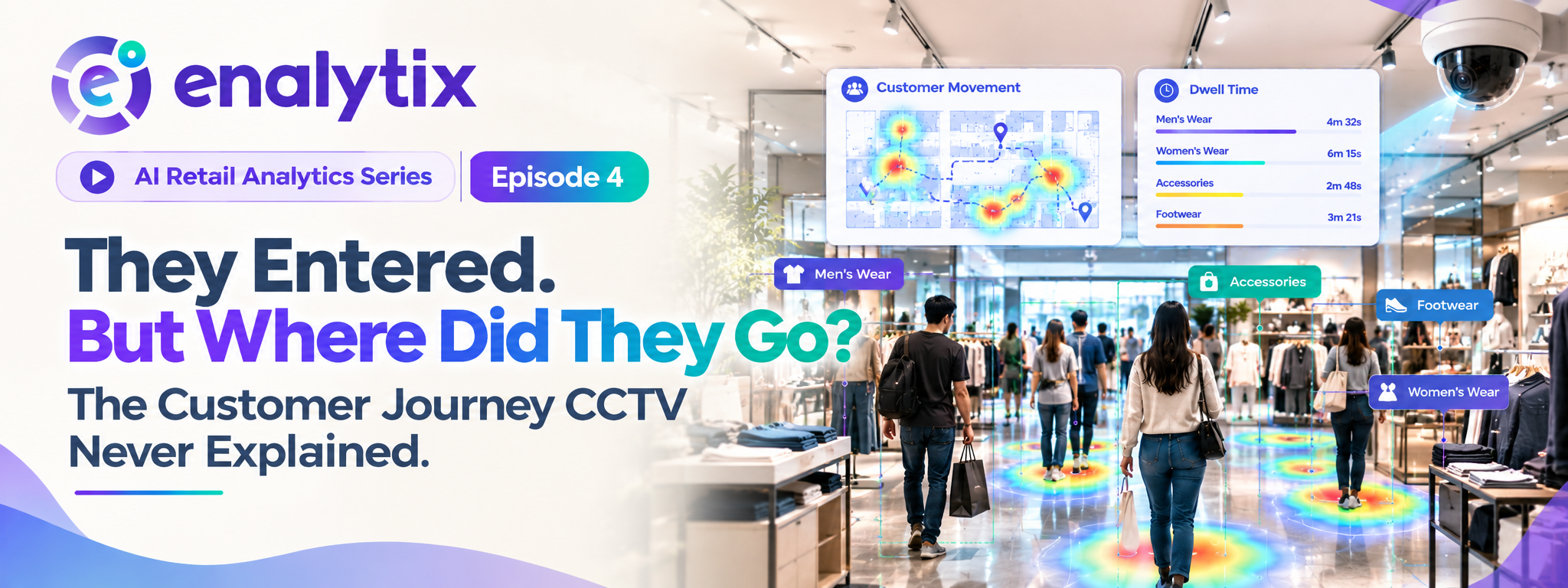
    AI Retail Analytics: EP. 4 –They Entered. But Where Did They Go? The Customer Journey CCTV Never Explained

    Introduction

    In Episode 1, a footfall counter gave retailers a real number for how many people walk into the store. Episode 2 broke that number down by the hour to show the peak times, and Episode 3 showed why one footfall number only makes sense when it is compared with something.

    Now a new question comes up. The store knows how many people came in and when, but what happens after they cross the door? This episode looks at why the journey inside the store stays invisible, and how footfall, movement, heatmaps and dwell time together finally make it visible.

    The Number That Stops at the Door

    A footfall counter tells the retailer how many people entered the store. It does not tell them what those people did next. From the owner’s point of view, every visitor disappears into the store the moment they walk past the entrance.

    So the retailer ends up with a strong, reliable number for the door and no number at all for everything after it. And the part that goes missing is the part where buying decisions are actually made. A store can know it had a record number of visitors and still have no idea whether they ever reached the shelves that matter. What really happens between the door and the billing counter?

    What Happens Between the Entrance and the Billing Counter

    Inside the store, customers walk through different sections, stop at some shelves and walk straight past others. Some leave without ever reaching the products the store most wants them to see.

    Owners can usually account for two points: the entry and the final bill. Everything in between stays a guess. A store may believe a corner is slow because of the product, when customers simply never walked there. Or it may believe a display is working because the area looks crowded, when people are only standing in the way. The cameras were covering the whole store the entire time, so why didn’t they show any of this?

    Why the Cameras Recorded the Journey but Never Explained It

    Every aisle is covered by CCTV, so the full journey technically exists on video. But a standard camera only records. It does not say which areas customers visited, where traffic was highest or which zones were being ignored.

    Watching the footage back shows single moments, not the overall pattern, and a full day of video is far too long for anyone to review with real attention. Even a manager who does sit down to review it can only watch one camera view at a time, while customers move across many. The information is on camera, but it has never been turned into an answer. Could someone just sit and track it by hand?

    Why Watching Customers Around the Store Can’t Be Done by Hand

    No staff member can follow every visitor or watch every section all day. Staff are already busy serving customers and running the floor. Even if someone tried, what they noticed would be partial, shaped by whatever caught their attention that day, and two people watching the same afternoon would describe it differently. Tracking by hand also breaks down in the busiest hours, which are exactly the hours that matter most.

    So the journey cannot be measured by people alone. The cameras themselves need to start reading what they see, and that begins with the simplest number of all: the count at the door.

    How Footfall Analytics and People Counting Set the Starting Point

    Footfall Analytics turns the cameras already in the store into a real-time footfall counter. Every visitor who enters is counted automatically, and the numbers show up on a live dashboard, so the store (and head office, for a chain) does not have to wait for a report. Because it works with existing CCTV, the same camera becomes a people counting camera, and the setup can scale across many stores for retail people counting.

    This matters for the journey because a reliable people counting system gives the baseline. Without a trusted entry count, nothing inside the store can be judged, since there is no way to tell whether a section is busy because many people came in or because very few did. Each number can also be checked against the actual video, so teams can trust it. With that baseline in place, the store can start asking where those visitors went.

    How In-Store Analytics Turns Camera Views Into Customer Movement

    In-Store Analytics builds on that count. It tracks customer and staff movement across the store in real time, using the same cameras. The store can see which areas customers visit, where traffic is highest and which zones are being ignored, instead of only getting a total for the day.

    This is what turns plain footage into customer journey analytics. The camera stops being a passive record and starts showing how people actually move through the floor. Everything appears on one unified dashboard, each insight can be verified against video evidence, and because staff movement is tracked as well, the store can also see who is on the floor. Knowing where customers go is useful, but knowing how long they stay there tells the real story.

    What Heatmaps and Dwell Time Show About Each Section

    Shopper Dwell and Heatmaps add the detail. Heatmap analysis shows which areas attract the most visitors and which get ignored. Dwell time analysis shows how long customers stay in each section.

    Together they answer something a footfall number alone never can: busy is not the same as engaging. A section with heavy traffic but a very short dwell time may just be a walkway that people pass through. A section with fewer visitors but a long dwell time may be holding real interest, and may deserve better visibility. Without both views, the store would treat these two sections very differently from how it should. So what does a store actually do with all this?

    What a Store Can Do Once the Customer Journey Is Visible

    Placement decisions can now be based on real movement. Products and offers that matter most can be moved to areas customers actually walk through, and ignored sections can be understood instead of being blamed on the wrong cause, like the product, when the real cause is the layout or the path.

    After a change, the store can compare traffic and dwell time before and after, and see whether it worked instead of waiting for a monthly sales number. For a chain, the unified dashboard shows how the same layout performs across stores. And because insights come with video evidence, a team can look at what was really happening in a section before deciding anything. Footfall plus movement gives retail analytics a complete picture, from entry to exit.

    Conclusion

    Counting visitors was only the start. Understanding where they go and how long they stay is what turns that count into something a retailer can act on. Enalytix’s Footfall Analytics and In-Store Analytics bring people counting, movement, heatmaps and dwell time together, using the same cameras already in the store.

    But the journey can go wrong in more than one place. What happens when too many customers reach the same place at the same time?

  • AI Retail Analytics: EP. 3 – 700 Visitors Walked In. So Why Did the Store Still Underperform?

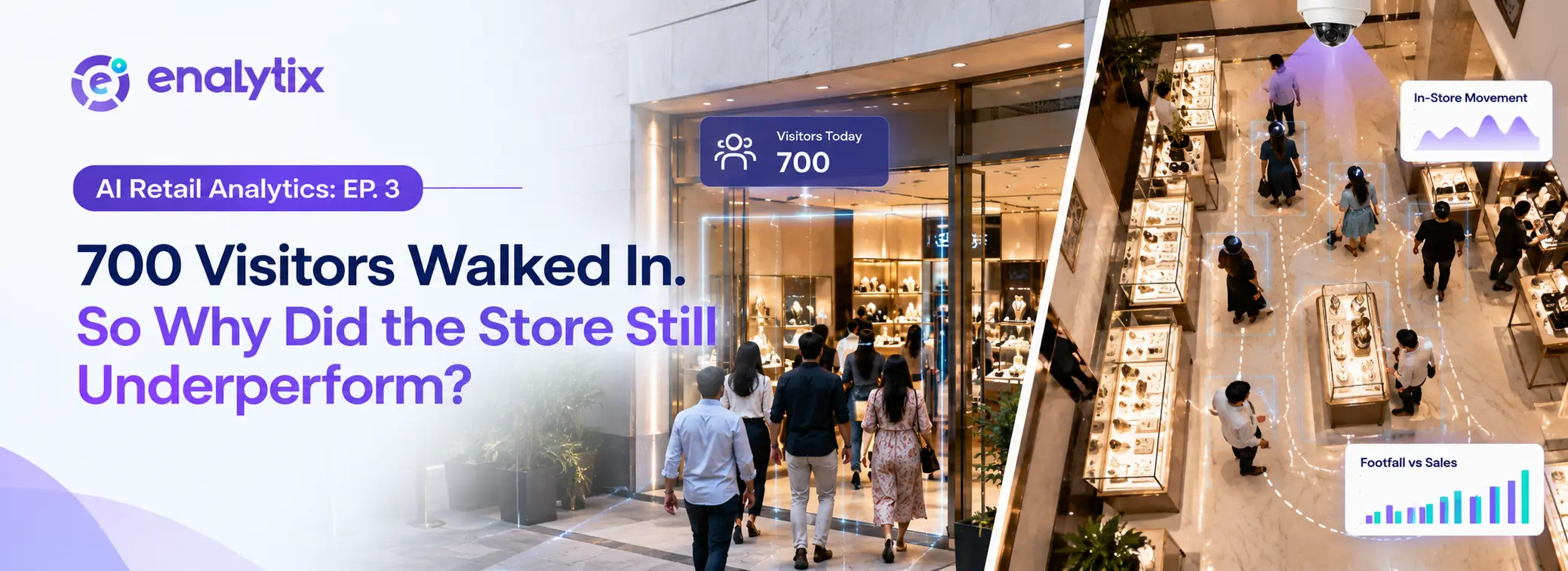
    AI Retail Analytics: EP. 3 – 700 Visitors Walked In. So Why Did the Store Still Underperform?

    Introduction

    In Episode 1, we looked at how a footfall counter finally gave retailers a real number for how many people walked into their store, instead of relying on a feeling. In Episode 2, that same number got broken down hour by hour, revealing exactly when a store’s rush actually starts.

    But numbers alone don’t always tell the full story. This episode looks at a trickier question: what happens when footfall is high, but the store’s performance still doesn’t match up? The answer isn’t that the counting was wrong. It’s that a single footfall number was never meant to explain everything on its own.

    The Day the Numbers Didn’t Add Up

    One day, the store’s people counter records its highest footfall yet. Everyone expects this to translate into a great day, more visitors should mean more business, right?

    But sales don’t move the way that number suggests they should. The owner is left staring at two numbers that don’t seem to agree with each other, more people than ever walked in, yet the day still felt underwhelming.

    Why More Visitors Doesn’t Always Mean More Business

    A high footfall number only confirms one thing: people reached the store. It doesn’t explain why they came, what they were actually looking for, or whether they found it once they got there.

    A person counting system can tell you exactly how many people walked through the door. It can’t tell you what happened in their heads once they were inside. On its own, that raw number is only ever half the picture.

    The Trap of Comparing One Big Number to Another

    The natural instinct is to place footfall and sales side by side and assume they should move together. If footfall goes up, sales should too, and if they don’t, something must be broken.

    In reality, two days can show almost identical numbers on a footfall counting machine and still end up with completely different results. One day’s footfall might come from serious shoppers, another’s from people simply passing through during a nearby event. Without knowing which is which, one number can’t really explain the other.

    What Footfall Alone Can’t Tell You

    This is the limit of counting on its own. A footfall camera or a people counting camera tracks entries reliably, that part isn’t in question. What it can’t tell you is the reason behind a spike.

    Was it a promotion? A weekend crowd? A one-off event nearby that had nothing to do with the store itself? None of that shows up in a single day’s number, which is exactly why looking at footfall in isolation can end up more misleading than helpful.

    Turning One Number Into a Real Comparison

    This is where footfall analytics earns its value. Instead of judging a single day on its own, footfall counter software makes it possible to compare periods against each other, this week against last week, this month against the one before it.

    Once that comparison exists, a single spike stops being a mystery and starts being something measurable against an actual trend. A high number that matches previous patterns tells a very different story than a high number that stands out as an anomaly.

    Comparing Footfall Across Different Locations

    For a chain running more than one store, the same comparison works across locations too. A people counting sensor installed at each site allows footfall from one store to be measured directly against another.

    Some locations will consistently pull in more traffic than others, and that pattern becomes visible almost immediately. More importantly, it starts separating the stores where footfall itself is the real issue from the stores where something else, unrelated to traffic, is holding performance back.

    What High or Low Traffic Actually Tells You Once You Know the Pattern

    A single high-footfall day means something very different from footfall that stays consistently high, week after week. One is a moment. The other is a pattern worth paying attention to.

    Once that pattern is visible, a number from a footfall counter app stops being just a count. It becomes a genuine signal, one that shows whether a store’s traffic is a real strength to build on or simply a one-time spike that happened to line up with a good day.

    Conclusion

    Footfall on its own was never the full answer, and this episode’s underperforming day makes that clear. The real insight comes from comparison: one period against another, one location against another, a pattern instead of a single data point. Enalytix’s Footfall Analytics makes this comparison possible using the same footfall counter or people counting camera a store already relies on, turning a simple entry count into a number retailers can actually act on, not just report.

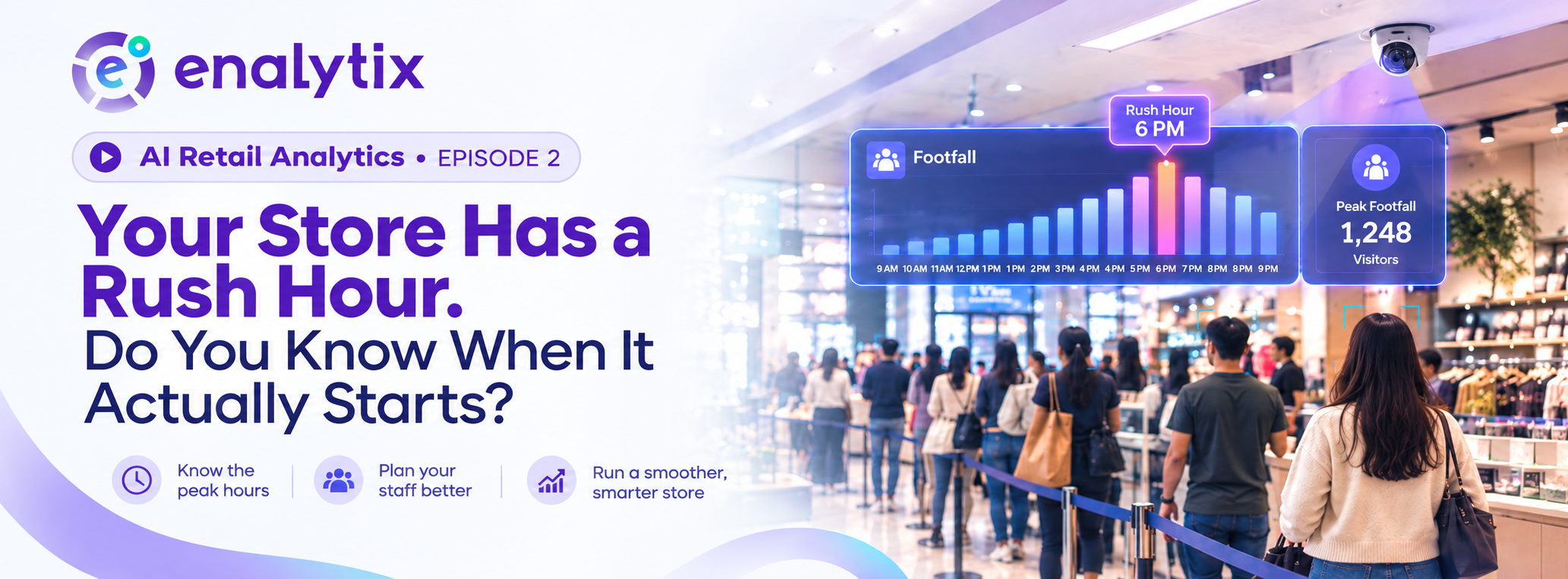
  • AI Retail Analytics: EP. 2 – Your Store Has a Rush Hour. Do You Know When It Actually Starts?

    AI Retail Analytics: EP. 2 – Your Store Has a Rush Hour. Do You Know When It Actually Starts?

    Introduction

    In Episode 1, we looked at how most retailers judge their day by feeling busy or quiet, without ever actually knowing how many people walked in, and how Footfall Analytics finally turns that guesswork into a real number.

    But knowing the total footfall for the day is only the first step. The same store can feel completely different depending on the hour, calm in the morning, chaotic by evening, and most owners only notice the rush once it’s already underway. This episode looks at what happens when that daily footfall number gets broken down hour by hour, and why knowing exactly when the rush hits changes how a store actually runs.

    Why Every Store Has Hours That Feel Like a Different Business Entirely

    Mornings can feel slow and manageable. Staff have time to restock, chat with customers, and keep things tidy. By evening, the same store can turn hectic almost without warning, the same staff, the same layout, but a completely different pace.

    Most owners notice this shift only once it’s already in full swing. The rush announces itself by simply happening, not by giving anyone advance notice.

    How Staff End Up Reacting to a Rush Instead of Preparing for It

    When that shift happens, staff are often still catching up from a quieter hour before. Extra customers start walking in, billing lines grow, questions pile up, and everyone on the floor suddenly feels stretched thin.

    By the time the team actually adjusts, whether that’s calling in extra help or reorganising who’s doing what, the busiest part of the rush may already be over. The store spends its peak hour playing catch-up instead of being ready for it.

    Why “We Know Evenings Are Busy” Isn’t the Same as Actually Knowing

    Most owners will say they already know their evenings get busy. But knowing evenings are busy in a general sense isn’t the same as knowing exactly when it starts, how long it lasts, or how intense it actually gets.

    Two different evenings can feel almost identical in memory while being very different in actual footfall. One might have a short, sharp rush at 7 PM. Another might build slowly and stay busy right through closing. Without real numbers, both just get filed away as “a busy evening.”

    What Daily Footfall Numbers Start Revealing Once You Look Closely

    This is where the same footfall data introduced in Episode 1 becomes useful in a new way. Instead of just one total for the whole day, that data can be broken down hour by hour.

    Once it is, patterns start to appear. Certain hours consistently pull in more visitors than others, not just occasionally, but day after day. What felt like a random, unpredictable rush starts looking like something far more familiar: a pattern that repeats, almost like clockwork.

    Spotting the Pattern Behind the Rush

    Footfall Analytics shows exactly which hours bring in the most visitors, and it does this consistently, not as a one-off snapshot. The same tool that counted total footfall in Episode 1 is now breaking that number down across every hour of the day.

    Instead of a vague sense that “evenings are busy,” a store gets a clear, specific picture: when the rush starts, how long it holds, and by how much footfall actually rises compared to the rest of the day.

    What Changes Once Peak Hours Are Actually Known

    Once that picture exists, staff schedules stop being a rough guess and start being planned around the hours that genuinely need more hands on the floor. Quieter hours no longer carry the same staffing as the busiest ones, freeing up people to actually be useful instead of standing around during a slow patch.

    More than anything, the store stops reacting to the rush and starts preparing for it before it even begins.

    Why This Isn’t Just About One Busy Hour

    These patterns rarely stop at a single hour. Peak-hour trends often repeat across certain days of the week too, not just certain times of day. A Friday evening rush might look completely different from a Tuesday evening, and once that becomes visible, slow periods stop being wasted time and start becoming opportunities of their own, for restocking, training, or simply running leaner.

    What emerges isn’t just a busier hour identified. It’s a real rhythm to the store’s entire week, replacing the sense that every day is unpredictable with an actual, repeating shape.

    Conclusion

    Knowing how many people walked in was Episode 1’s answer. Knowing exactly when they walk in is this episode’s. Together, they turn a store’s daily footfall from a single number into a detailed map of how the day actually unfolds.

    Enalytix’s Footfall Analytics makes that shift possible using the same setup already counting visitors, giving retailers not just a headcount, but a clear sense of when their store truly comes alive, and when it doesn’t.

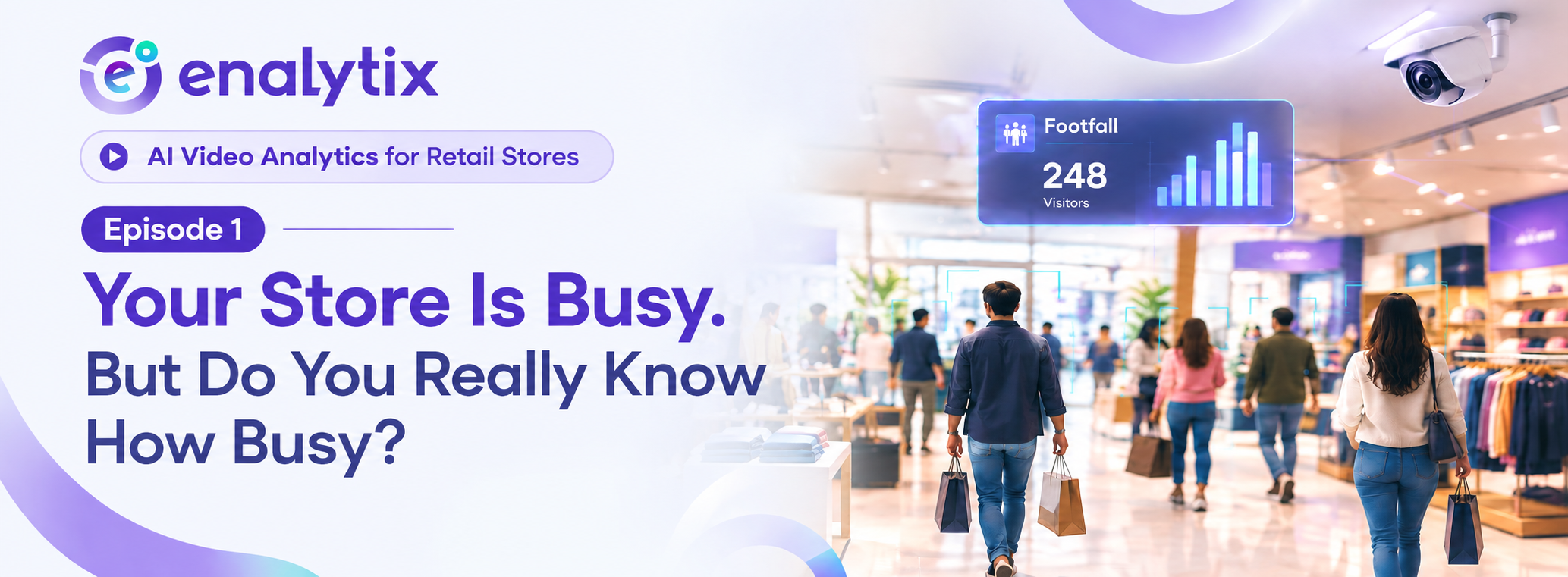
  • AI Retail Analytics: EP. 1 – Your Store Is Busy. But Do You Really Know How Busy?

    AI Retail Analytics: EP. 1 – Your Store Is Busy. But Do You Really Know How Busy?

    Introduction

    Ask any store owner how their day went, and they’ll usually have an answer ready. Busy. Slow. Better than yesterday. But ask them how many customers actually walked in, and most of the time, that answer doesn’t exist. It’s a feeling, not a number.

    This is the first gap most retailers don’t even realise they have. They’ve got cameras covering every corner of the store, yet nobody can say exactly how many people came in today, what time the store was busiest, or how that compares to last week. This blog looks at why that gap exists, why gut feeling can’t be trusted to fill it, and how the same cameras already installed in the store can finally start giving retailers a real answer.

    What a “Good Day” at the Store Usually Looks Like

    By afternoon, the store feels crowded. There’s a small line at the billing counter, staff are moving quickly between customers, and everything just feels busy. The owner clocks this and files it away as a good day.

    By evening, that’s really all there is to go on. A general sense of how the day felt, built out of a few busy moments and a bit of end-of-day tiredness. Nothing written down, nothing measured, just an impression that gets treated like a fact.

    Why Gut Feeling About Footfall Can’t Be Trusted

    The problem is that one genuinely busy hour can make an entire day feel successful, even if the other nine hours were quiet. A short rush right before lunch can colour how the owner remembers the whole day, long after the store has gone back to being empty.

    The same owner, on two very different days, might call both of them “good” simply based on mood or energy rather than what actually happened. Without an actual number to check against, every judgement about how the store performed is really just a guess dressed up as an observation.

    Why Your Cameras Were Never Actually Counting Anyone

    Here’s the part most retailers miss. The CCTV covering the store was never installed to answer this kind of question in the first place. It was put up to record incidents, catch problems if something went wrong, and give the owner a general eye on the floor.

    Nobody ever expected that camera to tell them how many people walked in on a Tuesday afternoon. So even with cameras pointed at every entrance and aisle, the most basic number a retailer could ask for, total visitors, was never actually being captured. The store has been watched this whole time. It just was never being counted.

    The Footage Sitting Unused Behind Every Camera

    Every single day, from opening to closing, hours of footage pile up on a hard drive somewhere. Almost none of it ever gets reviewed, unless something specific happens that someone needs to go back and check.

    That means a massive amount of information about the store’s daily traffic already exists, sitting completely unused. The data was always there. Nobody had a reason, or a way, to actually pull anything useful out of it.

    Why Counting Customers by Hand Was Never a Real Option

    The obvious fix sounds simple enough on paper: put someone at the door with a clicker and count people as they walk in. In practice, no store can realistically do this every day, all day, for every shift.

    Staff already have their hands full serving customers, managing stock, and keeping the floor running. Even if someone did try to count manually for a while, the number would still end up rough and inconsistent, easy to lose track of the moment the store gets even a little busy. This was never going to be a real solution, just a workaround that would fall apart the first time it mattered.

    How Footfall Analytics Turns an Existing Camera Into an Automatic Counter

    This is where Footfall Analytics changes the picture. It works with the same cameras a store has already installed, no new hardware, no extra staff standing at the door. Every person walking in gets counted automatically, in real time, without anyone having to watch a screen or track anything by hand.

    The cameras that were only ever recording for security suddenly start doing something they never did before: turning everyday store traffic into an actual, measurable number.

    What the Store Learns Once Every Visitor Is Actually Counted

    Once footfall is being tracked properly, a retailer finally has a clear, reliable number for exactly how many people visited on any given day. Comparing one day to another stops being a matter of memory and starts being a matter of fact, this Tuesday against last Tuesday, this week against last week.

    More than anything, it gives the store its first real data point, one that every future decision about staffing, timing, or store performance can actually be built on, instead of a guess.

    Conclusion

    A store can look busy without anyone actually knowing how busy it was, and for most retailers, that’s exactly how every day has been judged. Footfall Analytics doesn’t ask a retailer to change anything about their store. It simply gives the cameras already watching the floor a new job: counting.

    Enalytix’s Footfall Analytics turns that basic, overlooked number into the starting point for understanding a store the way it actually runs, not the way it feels at the end of a long shift.

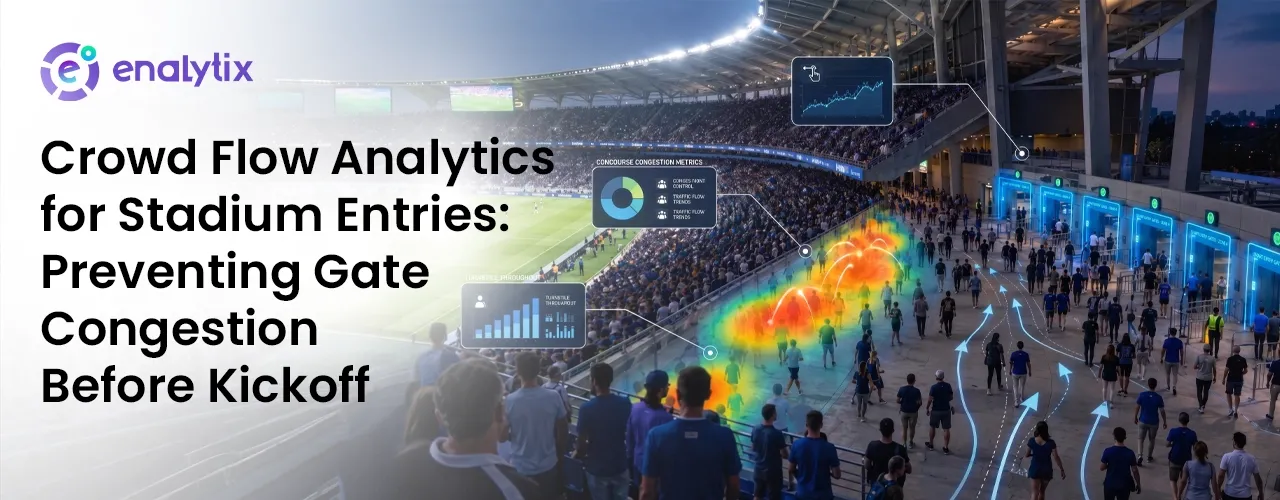
  • Crowd Flow Analytics for Stadium Entries: Preventing Gate Congestion Before Kickoff

    Crowd Flow Analytics for Stadium Entries: Preventing Gate Congestion Before Kickoff

    Introduction

    There’s a specific kind of stillness that settles over a stadium queue on match day. Everyone’s moving toward the same gate, the excitement is building, and then suddenly nobody’s moving at all. It’s not panic, just a slow, uncomfortable standstill that eats into the minutes before kickoff.

    This isn’t a one-off. It plays out at stadium gates all over the world, match after match, and it’s rarely down to poor planning. It happens because gates are usually run on an estimate of turnout rather than a live read of what’s happening on the ground at that exact moment.

    The Familiar Chaos of Stadium Gates Before a Big Match

    In the final hour before kickoff, a huge share of the crowd arrives all at once. A handful of gates end up carrying far more of that load than others, not because they were designed to, but because nobody on the ground had a way of knowing in advance which entrances would fill up faster.

    Each team stationed at a gate can only judge what’s happening right in front of them. If a neighbouring entrance starts getting overloaded, that information usually reaches other teams through a radio call, well after the crowd there has already thickened. It isn’t that the staff aren’t capable. It’s that they’re working with a view of the stadium that’s limited to whatever they can physically see.

    Why Traditional Gate Management Breaks Down Under Peak Crowds

    Gate operations have traditionally leaned on people to do the job that data should be doing: someone eyeballing the queue, someone relaying a headcount over radio, a supervisor deciding what to do next based on second hand information. On a normal day, with a smaller crowd, this holds up fine.

    The moment turnout spikes for a marquee fixture, the cracks show. A radio update describing the queue as it looked a few minutes ago is already out of date by the time anyone acts on it, and by the time a gate is visibly struggling, redirecting the crowd elsewhere often does very little good. What’s missing isn’t effort from the staff. It’s a live picture of every gate at once, instead of fragments passed along after the fact.

    How Crowd Flow Analytics Tracks Entry Patterns in Real Time

    This is the gap a people counting systemis built to close. Installed at each entrance, it keeps a running, live count of how many people are passing through, updated continuously rather than checked periodically. Crowd alerts are triggered the moment any single gate crosses into unsafe density, giving staff a warning while there’s still space to act on it, not after the queue has already spilled past comfortable limits.

    Video analytics ai builds on that raw number by tracking the rate of change too, flagging whether a queue is growing at a pace that’s typical for that hour before kickoff or accelerating faster than it should. For a venue managing a dozen or more entrances from a single control point, that shift turns gate oversight from something reactive into something anticipatory.

    What Early Detection Actually Changes at the Gate

    A rising number on its own doesn’t prevent anything. What matters is what a control room does in the window right after that number starts climbing.

    Once a specific gate begins filling faster than the others, the alert reaches the control room well before the crowd outside looks obviously overcrowded to anyone standing nearby. That head start is what actually makes it possible to redirect arriving fans toward gates that still have room, stopping a bottleneck before it forms rather than trying to untangle one that already has. Without that lead time, staff are left managing a queue that’s already backed up, with far fewer good options left.

    This is really what real-time monitoring adds to a match day: not extra staff, not extra barricades, just enough advance notice to make a decision while a decision still helps.

    What Smoother Gate Entry Means for Fans and Stadium Operators

    For fans, the difference shows up in something simple: less time stuck shoulder to shoulder outside, more time actually inside the stadium before the match starts. For the people running the venue, it means decisions get made on live information rather than on whatever a radio call reported a few minutes earlier.

    Safety alerts benefit the same way, reaching the right team the moment a genuine concern comes up instead of once a situation has already grown harder to manage. This kind of live density tracking isn’t unique to sport. The same underlying approach has supported crowd safety at large festival gatherings too, including temple crowd management during peak pilgrimage periods, anywhere large numbers of people funnel through a small number of entry points.

    Building Safer, Faster Stadium Entries for Every Match Day

    None of this calls for tearing out existing infrastructure. Cameras already installed at stadium entrances for security purposes can double up as an ai video surveillance layer, tracking density in real time and surfacing problems before they escalate.

    Enalytix’s crowd flow analytics turns those same entry points into a continuous, live view of every gate, not just in the rush before kickoff but through every stage of the match day. For a venue that’s outgrown managing entries on guesswork and radio calls, that’s the real change: catching a bottleneck early enough to stop it forming, instead of scrambling to fix one that already has.

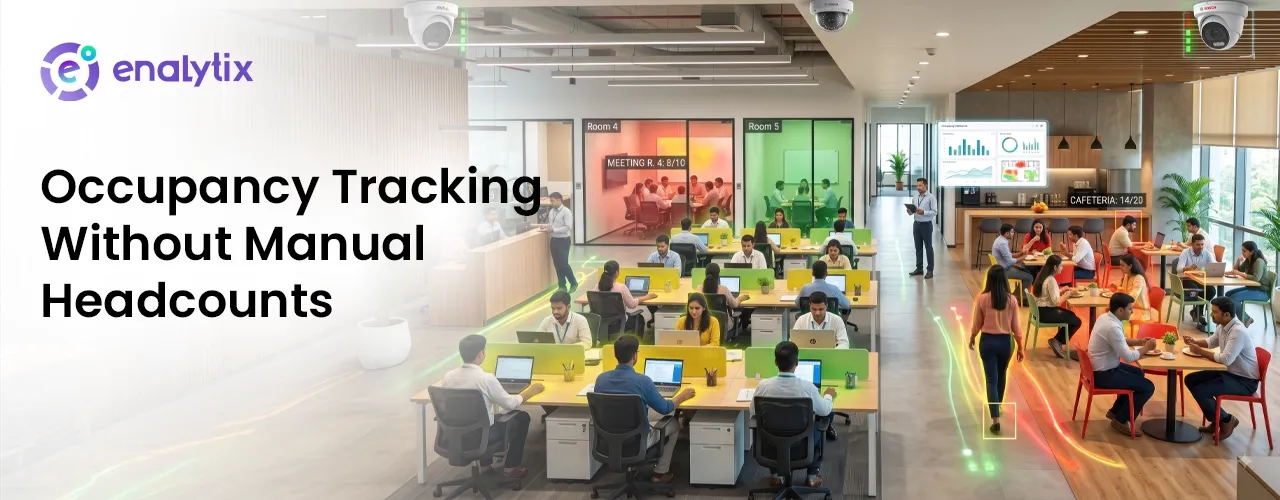
  • Occupancy Tracking Without Manual Headcounts: What Real-Time Data Is Teaching Facility Managers About Space Usage

    Occupancy Tracking Without Manual Headcounts: What Real-Time Data Is Teaching Facility Managers About Space Usage

    Introduction

    Walk into any office or co-working space, and someone there can probably tell you how many desks the building has. Almost nobody can tell you how many of those desks are actually being used right now. That gap between what a facility owns and what it actually uses is bigger than most people realise, and it’s the same gap that’s costing facility managers real money every single day.

    This is the story of how that gap gets closed, not by adding more staff to walk around and count, but by finally giving the building a way to count itself.

    Why Facility Managers Still Rely on Guesswork to Track Space Usage

    Most facility teams still track space usage the old way: a walkthrough here, a booking system there, maybe a rough estimate based on how full the parking lot looks. None of this gives an accurate number. A meeting room booked for two hours might sit empty after the first twenty minutes. A floor that looks packed at 10 AM might be half empty by 2 PM.

    Without a real occupancy monitoring system, facility managers are left working off guesses dressed up as data, and that’s exactly the kind of guess that starts costing money once it’s repeated across an entire building.

    The Cost of Not Knowing How Many People Are Actually in a Room

    That cost shows up in places most people don’t think to look. Lights stay on in empty conference rooms. Air conditioning runs at full strength on a floor that’s nearly empty. Extra floors get leased because a report says the building is “at capacity,” when the real number of people using the space on any given day is far lower.

    None of this looks like a single big loss. It looks like small, steady waste that adds up month after month, and it stays invisible for exactly as long as nobody’s counting.

    How Real-Time Occupancy Tracking Replaces Manual Headcounts

    This is where a people counting system changes the picture. Cameras already installed for security can be used to track occupancy in real time, room by room, floor by floor, without anyone walking around with a clipboard. Instead of a rough guess made once a day, facility managers get a live number that updates as people come and go.

    Camera analytics turns that number into something usable: which rooms are empty right now, which floors are actually busy, and which spaces are being paid for but barely used. And once that live number exists, it’s only a matter of time before it gets used to fix a real, ongoing problem.

    How a Co-Working Facility Cut Wasted Space by Tracking Real Occupancy

    Take a co-working facility running multiple floors, each one assumed to be near full based on membership numbers alone. Once occupancy monitoring went live, the real picture looked nothing like the membership sheet.

    One floor, marked as fully booked, was averaging less than half its seats occupied on any given day. Members had signed up but weren’t showing up nearly as often as expected. Meanwhile, a smaller floor that looked underused on paper was consistently packed during peak hours. The facility had been planning space, staffing, and even future leasing decisions around numbers that didn’t reflect what was actually happening inside the building.

    Once that mismatch was visible, the fix wasn’t complicated. It just needed real data to point at the right floor.

    Turning Occupancy Insights Into Smarter Space and Staffing Decisions

    With real occupancy data in hand, the facility stopped guessing and started acting on it. The underused floor was reassigned to a smaller team, freeing up space that had been sitting empty for months. Cleaning staff and reception hours were shifted to match when floors were actually busy, instead of running the same schedule everywhere all day.

    Power usage monitoring added one more layer, matching lighting and air conditioning to real occupancy instead of a fixed timer. What started as a way to just count people quickly turned into a way to run the entire facility more efficiently.

    What Continuous Occupancy Data Means for the Future of Facility Management

    That shift is the bigger story here. Once a facility has continuous occupancy data, decisions that used to rely on assumptions, leasing, staffing, energy use, start relying on what’s actually happening inside the building.

    Enalytix’s occupancy monitoring turns cameras a facility already has into a live, ai-powered video analytics tool that tracks space usage the way it should have been tracked all along. For any facility manager tired of planning around guesswork, that’s the real shift: not just knowing how many people are in a room, but finally knowing what to do about it.

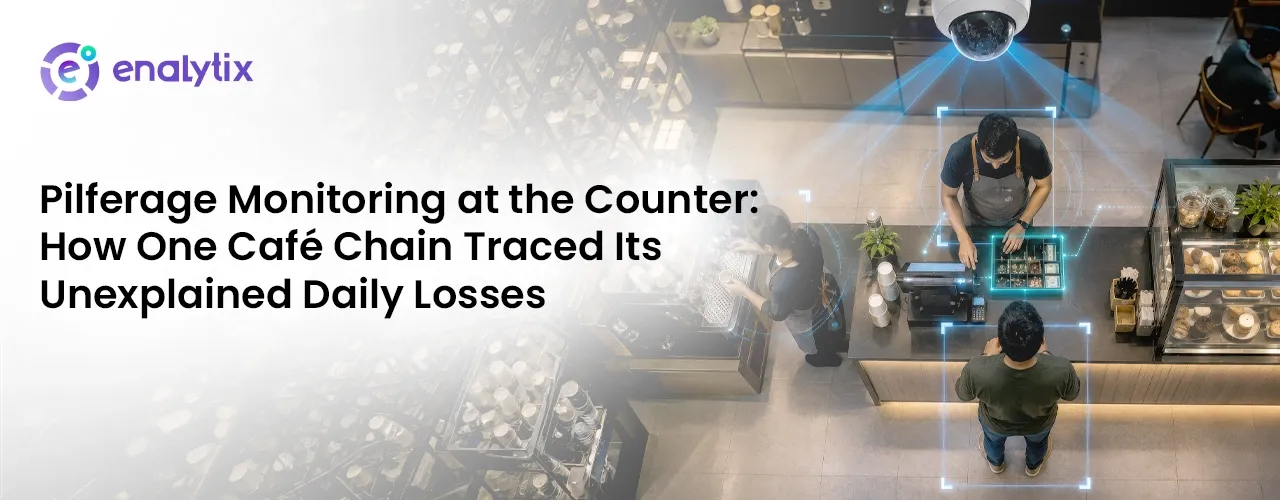
  • Pilferage Monitoring at the Counter: How One Café Chain Traced Its Unexplained Daily Losses

    Pilferage Monitoring at the Counter: How One Café Chain Traced Its Unexplained Daily Losses

    Introduction

    Running a café chain means keeping track of a lot of things at once footfall, staff, stock, and of course, the daily sales. Most days, everything adds up. But every once in a while, the numbers don’t quite match, and it’s easy to brush it off as a small mistake.

    The real problem starts when this “small mistake” keeps happening, again and again, across different outlets, with no clear reason. At that point, it’s not just a rounding error anymore. It’s a question worth answering.

    This is the story of how one café chain finally got an answer not by hiring more staff to keep watch, but by getting smarter about the cameras it already had.

    The Daily Shortfall a Café Chain Couldn’t Explain

    Every night, a café manager counts the till before closing. Some nights, the number is a little short. Not a big amount just enough to notice. One night, it’s easy to ignore. Every week, it isn’t.

    Now think of this happening across ten or fifteen outlets, not just one. Suddenly it doesn’t look like a mistake here and there. It looks like something is happening on a regular basis, and no one has actually caught it yet.

    And here’s the strange part every outlet already has cameras watching the counter. So why wasn’t anyone catching it?

    Why Standard CCTV Wasn’t Enough to Catch Counter-Level Losses

    Most cafés already have cameras at the counter. So the problem was never “we don’t have cameras.” The real problem is what those cameras were actually doing.

    A normal CCTV camera just records. It doesn’t tell anyone when something looks wrong. The footage sits there, and unless someone decides to go back and check it, nothing happens. By the time anyone thinks to look, the loss already happened days or weeks ago.

    The cameras just needed to start doing more than recording.

    How AI-Powered Pilferage Monitoring Flagged the Pattern Manual Audits Missed

    A manual audit can tell you money is missing. It usually can’t tell you exactly when it went missing, or during which shift.

    Pilferage monitoring solves this by watching the counter all the time and picking up on the exact moment something doesn’t look right, a sale that isn’t billed properly, an item handed over without being logged, something unusual happening during a shift change. As soon as it happens, it gets flagged. Not weeks later. Right away.

    Here’s what that looked like for one café chain once it went live across every outlet.

    What the Pattern Looked Like Once Monitoring Went Live

    Picture a café chain with a dozen outlets, each one losing a little money here and there. Once pilferage monitoring was switched on, the pattern that had stayed hidden for months became clear within a few weeks.

    The losses weren’t spread out evenly. They kept happening around the same shifts, and at a couple of specific outlets more than others, something a monthly audit could never have pointed to on its own.

    Once the pattern was clear, the way the team worked around it changed too.

    What Changed Once the Café Chain Could See Losses in Real Time

    Before this, managers only found out about losses after the fact, once a report showed a dip in numbers. Now, they get an alert the same day, with actual footage to back it up instead of a guess.

    This isn’t about suspecting every staff member. It’s about having clear proof of exactly what happened, when it happened. No more guessing games.

    And once the counter was covered, it turned out the same cameras could do a lot more than just that.

    Turning Pilferage Data Into a Stronger Counter Operation

    The same cameras that catch losses at the counter can do a lot more than that. They can flag hygiene issues during food prep, serve as proof when something needs to be investigated, or catch someone entering the outlet after hours when it should be empty.

    What started as one café chain trying to figure out where its money was going ends up as something bigger, a counter that’s finally being watched the way it always should have been.

    Conclusion

    What started as one café chain trying to figure out where its money was going ended up teaching it something bigger. The daily shortfall wasn’t bad luck or a staffing problem, it was a visibility problem. Cameras were recording everything but understanding nothing.

    Once pilferage monitoring took over, losses that had hidden across a dozen outlets for months became traceable within weeks, and a counter that once ran on guesswork is finally being watched the way it always should have been.

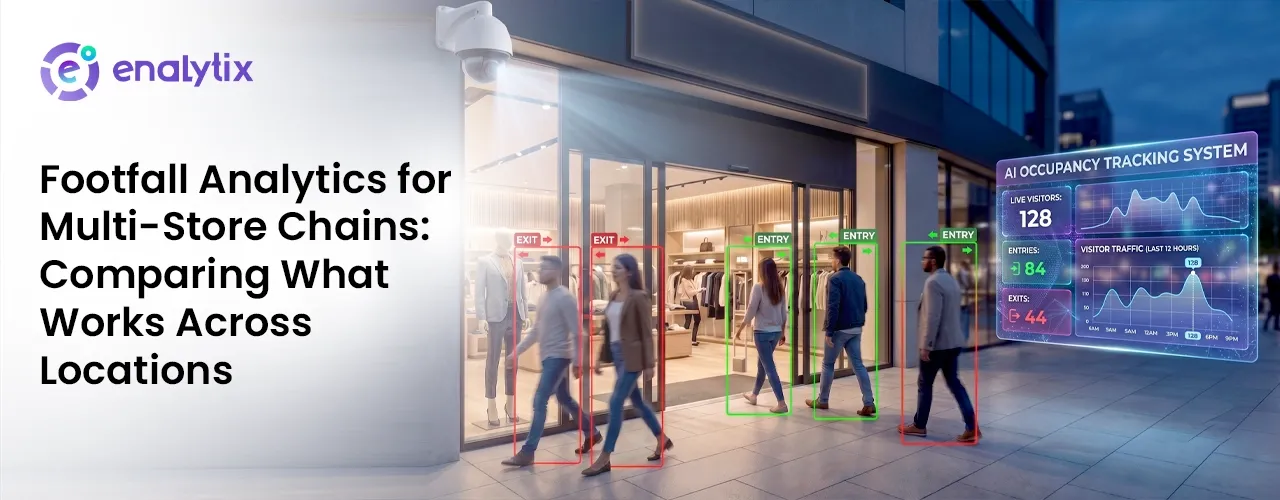
  • Footfall Analytics for Multi-Store Chains: Comparing What Works Across Locations

    Footfall Analytics for Multi-Store Chains: Comparing What Works Across Locations

    Introduction

    A retail chain’s monthly report usually comes down to one number for each store: total sales. It’s an easy way to rank stores, but it leaves out almost everything that happened before someone actually paid. It doesn’t say how many people walked past without stopping, or how many walked in and left without buying anything.

    That’s the gap where a lot of chains get their stores wrong. Two stores can show almost the same sales number for completely different reasons, and sales alone can never tell them apart.

    Why Footfall Looks So Different From One Store to the Next

    Stores in the same chain rarely behave the same way, even when they sell the exact same products. A mall store usually gets a steady flow of visitors all day. A high-street store might stay quiet until a short rush in the evening. A store near a college often gets a lot of browsing but slower buying.

    On a normal sales report, all these different patterns get squeezed into one number. Without a proper retail footfall counter tracking who walks in, a chain can’t tell a quiet store apart from a busy one that just isn’t converting visitors into buyers. Every comparison built only on sales carries that same blind spot.

    The Problem With Judging Store Performance on Sales Alone

    Sales only show the end result, not what led to it. A store with weak sales could actually be doing fine with the people it gets, just not getting enough footfall to begin with. Another store might be getting a lot of visitors but losing most of them somewhere between walking in and reaching the till.

    Looked at through sales alone, both stores can seem to have the same problem, even though they need completely different fixes. Telling them apart needs a kind of data that sales reports were never built to give.

    How Footfall Analytics Reveals the Real Story Behind Each Location

    That missing piece comes from footfall analytics. A retail people counter placed at each entrance tracks exactly how many people walk in, and at what time, building a full picture across the day instead of one flat total. Dwell time analysis adds another layer, showing how long visitors actually stay once they’re inside.

    Heatmap analysis goes further still, showing which parts of a store get attention and which parts people just walk past. Put together, these three pieces of data replace one sales number with a much clearer picture: how many people came in, how long they stayed, and where their attention actually went.

    What Cross-Location Footfall Data Revealed About Two Underperforming Stores

    This kind of data tends to show the same pattern again and again across weak-performing stores in a chain: two stores with similar low sales are often struggling for opposite reasons. One store simply isn’t getting enough visitors, so sales are limited by traffic before anything inside the store even comes into play. Another store might match or beat the chain’s best locations on footfall, but convert far fewer of those visitors, often because of poor product placement or a layout that pulls people away from the checkout.

    On a sales report, both stores look the same. Once you look at footfall and dwell time side by side, they turn out to need nothing alike. One needs more visitors. The other needs a better reason for the visitors it already has to actually buy something.

    Turning Footfall Comparisons Into Smarter Staffing and Layout Decisions

    Once footfall and dwell time are visible together, fixing a store stops being a guessing game. A store struggling with low traffic gets help with visibility and local marketing, instead of a layout change that was never the real issue. A store with strong traffic but weak conversion gets a layout review, moving popular sections closer to where people are already spending their time.

    In-store people counting also changes how staffing works, showing exactly when each store actually gets busy, instead of using the same shift schedule everywhere no matter how that particular store behaves.

    Building a Multi-Store Strategy Around Real Visitor Data

    A chain that only looks at sales is working with half the picture. Customer journey analytics, tracking a visitor from the moment they walk in to the moment they leave, fills in the rest, showing not just how many people came in, but what they actually did once they were there.

    Enalytix’s footfall analytics gives multi-store chains a simple way to compare locations based on real customer behaviour, not just one lagging sales number. For any chain trying to understand why similar sales can come from completely different problems, that difference, between a footfall issue and a conversion issue, is what makes the right fix possible.

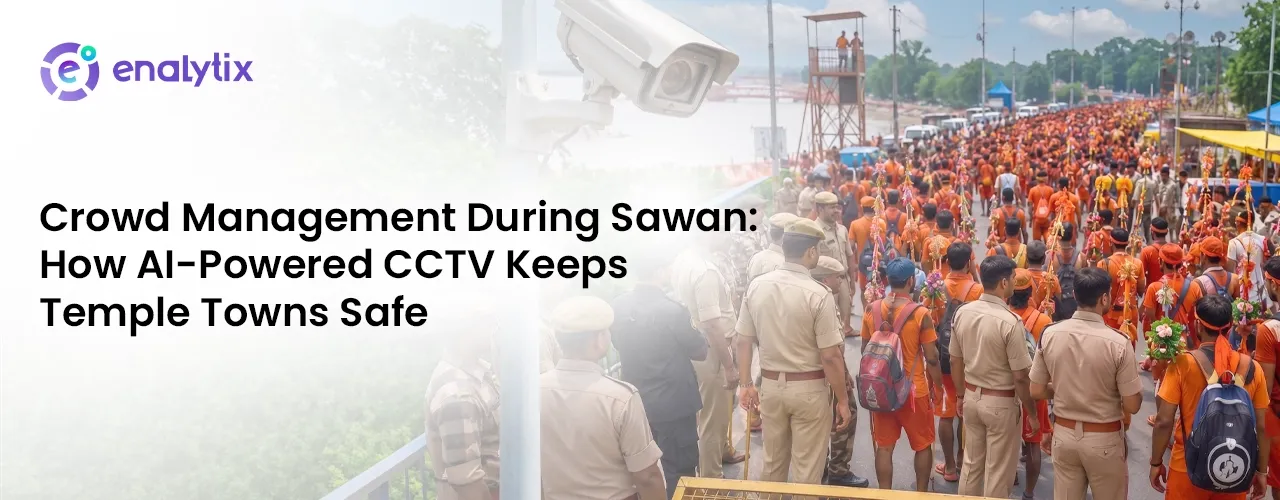
  • Crowd Management During Sawan: How AI-Powered CCTV Keeps Temple Towns Safe

    Crowd Management During Sawan: How AI-Powered CCTV Keeps Temple Towns Safe

    Introduction

    It’s 4 AM in a temple town somewhere in North India. The gates haven’t opened yet, but the queue outside already stretches past the last streetlight. By noon, this town’s population will have quietly tripled. By evening, the parking lots will be full, the lanes leading to the sanctum will be shoulder to shoulder, and somewhere in the crowd, an elderly kanwariya will be looking for a bench that doesn’t exist.

    This is Sawan. And every year, the story repeats itself, not because temple administrations don’t care, but because they’re trying to manage a modern crowd problem with a pre-modern toolkit: a few dozen guards, some barricades, and hope.

    We think the toolkit needs an upgrade. Here’s what that actually looks like, hour by hour.

    5 AM — The Gates Open, and So Do the Blind Spots

    The first rush is always the hardest to predict. Nobody knows exactly how many people are inside the complex at any given moment, not the administration, not the police, not the volunteers coordinating water and medical camps.

    This is where footfall counting changes the entire equation. Cameras that are already installed for security, the same CCTV infrastructure sitting on poles and gates can be turned into real-time people-counters. Instead of guessing whether the complex is at 60% or 160% capacity, administrators get a live number. Not an estimate from last year’s Sawan. A number, right now, updating as people walk in and out.

    That single number is the difference between “let’s see how it goes” and “we need to slow entry at Gate 3 before it becomes a problem.”

    9 AM — The Moment Before It Becomes a Headline

    Every stampede story in the news starts the same way: a bottleneck nobody saw building until it was too late. A narrow lane, a sudden surge, a few thousand extra people who arrived in the last twenty minutes.

    Stampede prevention– isn’t really about reacting faster once a crowd crush starts, by then it’s already a crisis. It’s about catching the density curve early. When camera-based analytics flag that a specific lane or gate is approaching unsafe crowd density, not “crowded,” but a measurable, rising number teams can act while there’s still room to act: reroute a queue, open a second lane, pause entry for ten minutes.

    It’s the same technology as the footfall counter, just pointed at a different question. Not “how many people are here” but “how many people are here, in this ten-meter stretch, right now.” That’s the number that actually prevents tragedies.

    11 AM — Who’s Actually on Duty?

    Behind every well-managed Sawan crowd is an even bigger, less visible crowd: volunteers, medical staff, security personnel, and municipal workers, all rotating through long shifts across a sprawling temple complex.

    Manual attendance registers don’t scale to this. A volunteer who signed in at 6 AM at the east gate might genuinely be needed at the west gate by 11, but if nobody can confirm who’s actually present and where, planning tomorrow’s shift is guesswork.

    Facial recognition attendance solves this quietly, in the background. People are marked present the moment they pass a camera, no queues, no registers, no double-checking. For an event coordinator managing hundreds of temporary staff across a multi-day mela, that’s not a minor convenience. It’s the difference between knowing your actual on-ground strength at any hour and finding out you were short-staffed only after something went wrong.

    1 PM — The Traffic Jam Nobody Warned You About

    Ask any local shopkeeper what actually breaks down first during Sawan, and most won’t say the temple gates. They’ll say the parking.

    Buses, private cars, two-wheelers, all converging on a town that has maybe a tenth of the parking it needs, on roads that weren’t built for this. When lots fill up unannounced, vehicles start parking wherever they can, and what should be a footpath becomes a bottleneck too.

    Parking utilisation monitoring turns this from a mystery into a managed system. Cameras track occupancy across designated lots in real time, so authorities know exactly which lots are full and which still have room and can direct incoming traffic accordingly, before it piles up at the entrance. Pilgrims spend less time circling for a spot. Local roads stay clearer. And the town’s traffic police get a live map instead of a walkie-talkie full of guesses.

    3 PM — The Person Everyone Forgets to Design For

    Here’s what usually happens when something goes wrong for a pilgrim mid-crowd: a toilet block runs out of water, a lane goes dark after sunset, someone’s bag goes missing, a loudspeaker outside a rest area won’t stop blaring at 2 AM. In a normal year, none of this gets reported. There’s no one to tell, and even if there were, nobody has time to stand in another queue just to file a complaint.

    This is the gap Enalytix’s Citizen Feedback App is designed to close. It’s a simple, category-based reporting screen: Toilet/Sanitation Issues, Transport/Traffic, Overcrowding/Safety, Cleanliness/Waste, Lost Items/Theft, Drinking Water Problem, Lighting/Electricity, Loud Noise/Disturbance, and a catch-all Other Complaint.

    Any pilgrim taps the category that matches their problem and it goes straight to the team that can actually act on it, no standing in line, no chasing down a volunteer, no complaint lost in the noise of the crowd. It’s built for every pilgrim in the crowd, but it matters most for the ones least equipped to chase down help on their own elderly visitors especially, who are the least likely to track down a volunteer when a toilet is unusable or a lane is unsafe after dark, and least likely to have the patience to file a complaint through five layers of bureaucracy.

    A tap-and-report system means their problem reaches someone the moment it happens, not after a family member notices, not after it becomes a bigger issue.

    For the administration, it’s the same principle as everything else in this system: turning something invisible into something they can see and act on.

    Overcrowding and safety complaints flow into the same operational picture as the density data from the gates. Lost item reports can be cross-checked against the same cameras tracking footfall. Nothing about the crowd stays unreported just because no one had the time to walk over and say something.

    By Nightfall, It’s Not Guesswork Anymore

    None of this requires temple towns to rebuild their infrastructure from scratch. The cameras are usually already there, watching gates and lanes for security. What changes is what those cameras are asked to do count instead of just record, flag density instead of just capture footage, recognize a face for attendance instead of only for surveillance.

    That’s the real story of crowd management during Sawan: not new hardware, but smarter use of what’s already watching. Footfall counting tells you how many. Stampede prevention tells you where it’s getting dangerous. Facial attendance tells you who’s on the ground. Parking monitoring tells you where the vehicles are. And the Senior Citizen App makes sure no one gets lost in a system built for millions.

    Put together, it’s not a surveillance story. It’s a safety story, one where a temple town that welcomes lakhs of pilgrims a day can do it without leaving anyone, from the frontline volunteer to the elderly kanwariya, to chance.

    Enalytix turns existing CCTV infrastructure into intelligent, insight-driven systems helping organizations manage crowds, safety, and operations without ripping out what’s already working.